

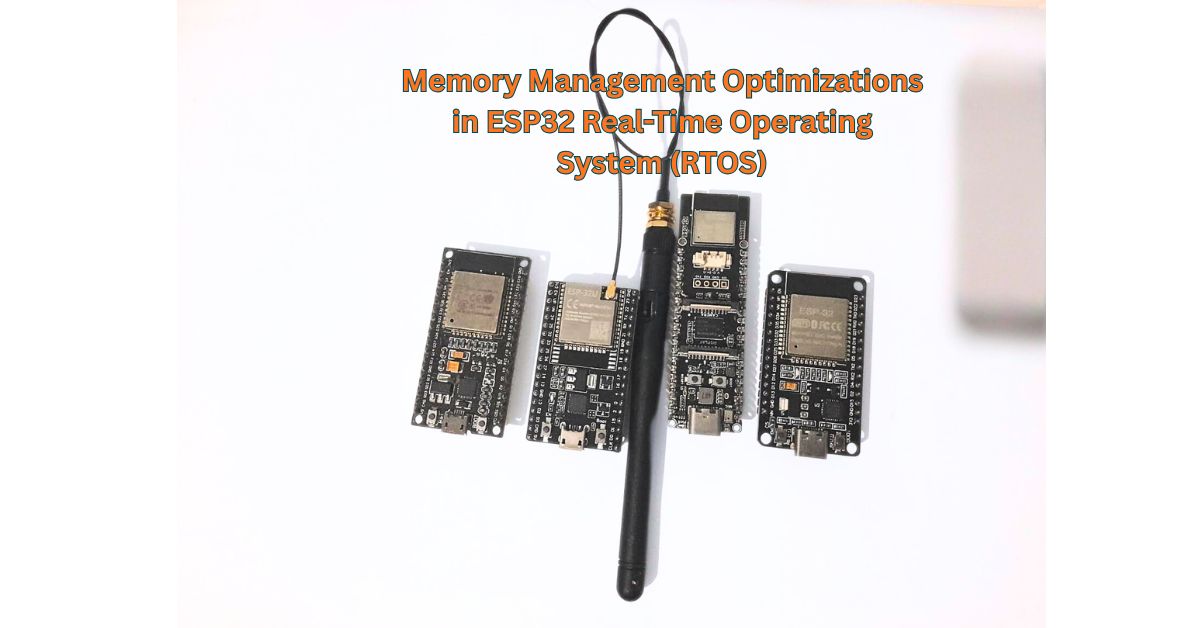
In embedded systems, there are 5 critical memory management challenges that can destroy your application performance. From this article, cover the five main Magnetic Memory Method techniques in a way that is easy to understand for readers between beginner and expert level.
The Five Memory Optimization Techniques
- DMA-Aligned Memory Allocation (click to jump)
- Byte Aligned SIMD Allocation(click to jump)
- Internal RAM Allocation: Avoiding the PSRAM Penalty(click to jump)
- Fixed Memory Pool Allocation(click to jump)
- Heap-Allocated Structures to Avoid Linker Errors(click to jump)
- ESP32 Variants Memory Architecture Comparison(click to jump)
- Conclusion(click to jump)
(Note: Various types of ESP32 variants have different bottlenecks and optimization features. ESP32-P4 is the most modern architecture in the ESP32 microcontroller family. The following comparison analyzes bottlenecks of ESP32-WROOM, ESP32-S2, ESP32-S3, ESP32-C3, ESP32-C6, and ESP32-H2 with respect to the ESP32-P4 baseline.)
1. DMA-Aligned Memory Allocation
Direct Memory Access (DMA) is a hardware feature that moves data between peripherals and memory without waking up the CPU. Think of it as a delivery truck that unloads packages directly into your warehouse while you continue working on something else. The CPU doesn’t have to stop what it’s doing to move data byte-by-byte.
Consider this real scenario: An ADC (Analog-to-Digital Converter) continuously samples sensor data at 192,000 samples per second. Without DMA, the CPU must stop every 5.2 microseconds to read one sample and store it in memory. That’s 192,000 interruptions per second. The CPU has zero time for actual signal processing.
With DMA enabled, the SPI peripheral reads ADC samples and writes them directly to RAM buffers. Meanwhile, the CPU runs correlation calculations, updates displays, handles WiFi communication all in parallel. DMA transforms impossible real-time tasks into achievable ones.
The 64-Byte Alignment Requirement
Modern processors use cache memory fast storage that holds copies of recently accessed data. ESP32 organizes its cache in 64-byte blocks called cache lines. When the processor reads memory address 0x1000, it actually loads 64 bytes (from 0x1000 to 0x103F) into cache.DMA controllers require buffers to start at addresses divisible by 64. Why? If a buffer starts at address 0x1010 (not divisible by 64), it spans two cache lines. The DMA engine must perform two separate memory operations instead of one. This doubles transfer time and reduces throughput by 30-40%.
Wrong Approach
// malloc returns random address like 0x3FFB4C23
// Not guaranteed to be divisible by 64
uint8_t *spi_buffer = malloc(6144);
This buffer might start at address 0x3FFB4C23. Dividing by 64 gives remainder 35 misaligned. DMA transfers become slow and inefficient.
Correct Approach
uint8_t *spi_buffer = heap_caps_aligned_alloc(
    64,    // Alignment: address must be divisible by 64
    6144,  // Size: 2048 samples × 3 bytes per sample
    MALLOC_CAP_DMA | MALLOC_CAP_INTERNAL
);
Now the buffer starts at address like 0x3FFB5000 exactly divisible by 64. DMA transfers run at maximum speed.
Real-World Use Cases
Use Case 1: High-Speed ADC Data Acquisition
A 24-bit ADC samples at 192 kHz over SPI interface. Each sample is 3 bytes. Collecting 2048 samples requires 6144 bytes. Without DMA alignment, SPI transfer takes 9.2ms. With proper alignment, transfer completes in 8.8ms a 400 microsecond improvement.
Use Case 2: Audio Streaming with I2S
I2S microphone captures stereo audio at 44.1 kHz, 16-bit depth. Data rate is 176.4 KB/s. DMA-aligned buffers ensure continuous audio capture without dropouts or glitches.
Use Case 3: Camera Image Capture
MIPI-CSI camera interface on ESP32-P4 captures 1080p frames at 30 fps. Each frame is 6.2 MB. DMA transfers pixel data directly to PSRAM while CPU performs image processing on previous frame. Alignment ensures sustained 186 MB/s transfer rate.
Memory Capability Flags Explained
MALLOC_CAP_DMA: Ensures memory is in a region accessible by DMA controllers. ESP32 has specific memory ranges (0x3FFB0000-0x3FFE0000) that DMA can access. Other ranges are CPU-only.
MALLOC_CAP_INTERNAL: Forces allocation from on-chip SRAM instead of external PSRAM. Internal memory is faster but limited to 520 KB (ESP32-WROOM) or 768 KB (ESP32-P4)
2. 16-Byte Aligned SIMD Allocation
What is SIMD and How Does It Work?
SIMD stands for Single Instruction Multiple Data. Normal CPU instructions process one number at a time. SIMD instructions process multiple numbers simultaneously.
Example: Calculate y=3x+5y=3x+5 for array of 8 numbers.
Normal processing (8 operations)
y[0] = 3 * x[0] + 5
y[1] = 3 * x[1] + 5
y[2] = 3 * x[2] + 5
...
y[7] = 3 * x[7] + 5
SIMD processing (2 operations)
Load 4 values: x[0], x[1], x[2], x[3] into SIMD register
Multiply all 4 by 3 simultaneously
Add 5 to all 4 simultaneously
Store results: y[0], y[1], y[2], y[3]

Repeat for x[4] through x[7]
ESP32 floating-point units can process 4 single-precision floats (4 bytes each = 16 bytes total) in one SIMD operation. But this only works when data starts at addresses divisible by 16.
Why Alignment Matters for Performance
When memory is misaligned, the processor cannot load all 4 floats in one operation. Consider this scenario
Misaligned memory at address 0x3FFB400A
Address: 0x3FFB4008  0x3FFB400C  0x3FFB4010  0x3FFB4014  0x3FFB4018
Data:        --        float[0]   float[1]   float[2]   float[3]
The SIMD register needs floats 0-3, but they span across two 16-byte boundaries. The CPU must:
- Read bytes 0x3FFB4008-0x3FFB4017 (first 16 bytes)
- Read bytes 0x3FFB4018-0x3FFB4027 (second 16 bytes)
- Combine parts to extract the 4 floats
This takes 3 memory operations instead of 1 triple the time.
Aligned memory at address 0x3FFB4000
Address: 0x3FFB4000  0x3FFB4004  0x3FFB4008  0x3FFB400C
Data:     float[0]   float[1]   float[2]   float[3]
Now all 4 floats fit in one 16-byte block. The CPU loads them in a single operation.
Correlation Calculation Example
Real-time signal processing uses correlation to detect specific frequencies. The algorithm multiplies input signal by pre-computed sine/cosine lookup tables.
Setup:
- Input signal: 960 samples
- Lookup tables: 960 sine values, 960 cosine values
- Operation: 960 multiplications + 960 additions per frequency
Wrong Approach
// Unaligned allocation
float *sine_table = malloc(960 * sizeof(float));
float *cosine_table = malloc(960 * sizeof(float));

// Fill lookup tables
for (int i = 0; i < 960; i++) {
    sine_table[i] = sinf(w * (i + 1));
    cosine_table[i] = cosf(w * (i + 1));
}

// Correlation loop - runs 960 times
for (int i = 0; i < 960; i++) {
    real_sum += signal[i] * cosine_table[i];
    imag_sum += signal[i] * sine_table[i];
}
Misaligned tables force CPU to use scalar operations. Processing time: 2.8ms per frequency.
Correct Approach
// 16-byte aligned allocation
float *sine_table = heap_caps_aligned_alloc(
    16, 960 * sizeof(float), MALLOC_CAP_INTERNAL
);
float *cosine_table = heap_caps_aligned_alloc(
    16, 960 * sizeof(float), MALLOC_CAP_INTERNAL
);

// Same lookup table generation
float freq = 32000.0f;
float w = 2.0f * M_PI * freq / 192000.0f;
for (int i = 0; i < 960; i++) {
    sine_table[i] = sinf(w * (i + 1));
    cosine_table[i] = cosf(w * (i + 1));
}

// Same correlation loop - but CPU uses SIMD
for (int i = 0; i < 960; i++) {
    real_sum += signal[i] * cosine_table[i];
    imag_sum += signal[i] * sine_table[i];
}
Aligned tables enable SIMD vectorization. Processing time: 2.1ms per frequency—25% faster. Processing 4 frequencies saves 2.8ms total.
Additional SIMD Use Cases
Use Case 1: FFT (Fast Fourier Transform)
FFT algorithms process audio spectrum analysis, vibration monitoring, EEG signal analysis. FFT operates on power-of-2 arrays (256, 512, 1024, 2048 samples). All intermediate buffers need 16-byte alignment for optimal performance.
Use Case 2: Digital Filtering
FIR (Finite Impulse Response) filters multiply input samples by coefficient arrays. A 64-tap filter performs 64 multiplications per output sample. SIMD alignment reduces filter execution time by 30-40%.
Use Case 3: Matrix Operations
Machine learning inference on ESP32-S3 uses matrix multiplication. A 32×32 matrix multiplication involves 32,768 operations. Aligned memory enables efficient SIMD processing across all operations.
3.Internal RAM Allocation: Avoiding the PSRAM Penalty
Understanding SRAM vs PSRAM
SRAM (Static RAM): Memory cells built inside the ESP32 chip. CPU accesses SRAM in 1-2 clock cycles (4-8 nanoseconds at 240 MHz). SRAM is fast but limited in size 520 KB in ESP32-WROOM, 768 KB in ESP32-P4.
PSRAM (Pseudo-Static RAM): External memory chip connected via SPI or QSPI bus. PSRAM uses DRAM cells internally but includes automatic refresh circuitry that makes it behave like SRAM. PSRAM provides large capacity (4-32 MB) but introduces latency.
Why PSRAM is Slower
PSRAM sits outside the ESP32 chip. Every memory access travels through:
- CPU cache check (10 ns)
- Cache miss → SPI/QSPI bus transaction (30 ns)
- PSRAM internal access (20 ns)
- Data return via bus (20 ns)
Total latency: 80 nanoseconds per access. Compare this to internal SRAM: 5 nanoseconds. PSRAM is 16x slower.
The Performance Impact
Consider a correlation loop accessing lookup tables 960 times:
With PSRAM:
- 960 accesses × 80 ns = 76,800 ns = 76.8 µs per array
- Processing 4 frequencies with sine + cosine tables: 8 arrays × 76.8 µs = 614 µs overhead
With Internal SRAM:
- 960 accesses × 5 ns = 4,800 ns = 4.8 µs per array
- Processing 4 frequencies: 8 arrays × 4.8 µs = 38 µs overhead
PSRAM adds 576 µs delay enough to miss real-time deadlines.
When to Use PSRAM vs Internal RAM
Use Internal RAM for:
- Lookup tables accessed in tight loops (sine/cosine tables, FFT coefficients)
- DMA buffers for real-time peripherals (ADC, I2S, SPI)
- Working buffers in time-critical functions
- FreeRTOS task stacks
- Correlation/convolution intermediate results
Use PSRAM for:
- Large image framebuffers (1920×1080 RGB = 6.2 MB)
- Audio recording buffers exceeding 1 second
- Machine learning model weights loaded once at startup
- File system caches
- Historical data logging buffers
Code Implementation
// Critical buffers - MUST be in internal SRAM
float *signal_buffer = heap_caps_malloc(
    9600 * sizeof(float),  // 50ms circular buffer at 192 kHz
    MALLOC_CAP_INTERNAL
);

// Lookup tables - frequently accessed
float *sine_tables[4];
for (int i = 0; i < 4; i++) {
    sine_tables[i] = heap_caps_aligned_alloc(
        16, 960 * sizeof(float),
        MALLOC_CAP_INTERNAL  // Fast access required
    );
}

// Image framebuffer - large but infrequent access
uint8_t *display_framebuffer = heap_caps_malloc(
    1024 * 600 * 2,  // 600KB for 1024×600 RGB565 display
    MALLOC_CAP_SPIRAM  // Can use PSRAM - updated once per frame
);
Real-World Measurement
A pulse detection system moved correlation buffers from PSRAM to internal RAM. Results:
- Processing time: Average unchanged (same CPU cycles)
- Timing jitter: ±800 µs → ±40 µs (20x improvement)
- Real-time guarantee: Unreliable → 100% deadline compliance
The key improvement is consistency, not speed. PSRAM access time varies due to refresh cycles and bus contention. Internal SRAM provides predictable latency.
4. Fixed Memory Pool Allocation
The Heap Fragmentation Problem
Dynamic memory allocation with malloc() and free() creates scattered holes in memory. Imagine a bookshelf:
Initial state: 8 books, each 50 pages
[Book1][Book2][Book3][Book4][Book5][Book6][Book7][Book8]
400 pages total
After removing books 2, 4, 6
[Book1][____][Book3][____][Book5][____][Book7][Book8]
150 pages free (3 × 50)
Now you want to add a 100-page book. Total free space is 150 pages, but the largest continuous gap is only 50 pages. The allocation fails even though enough space exists.
This is heap fragmentation. In embedded systems running for days, fragmentation accumulates until large allocations fail.
How FreeRTOS Heap Works
FreeRTOS provides 5 heap implementations:
heap_1: Allocates only, never frees. Simple but impractical for long-running systems.
heap_2: Allows free() but doesn’t merge adjacent holes. Fragments badly over time.
heap_3: Wraps standard library malloc/free. Thread-safe but inherits fragmentation issues.
heap_4: Best general-purpose implementation. Merges adjacent free blocks to reduce fragmentation. Example:
Memory state:
[Used 100B][Free 50B][Free 30B][Used 200B]

After merging adjacent free blocks:
[Used 100B][Free 80B][Used 200B]
heap_5: Like heap_4 but supports multiple non-contiguous memory regions.
Even heap_4 suffers from fragmentation in real-time systems that continuously allocate and free buffers.
Fixed Memory Pool Solution
Pre-allocate all memory at system startup. During runtime operation, never call malloc() or free(). Instead, use a ring buffer of pre-allocated slots.
Concept:
- Allocate 16 buffer slots during initialization
- Producer task acquires free slot, fills with data, marks as ready
- Consumer task processes data from ready slot, marks as free
- Slots circulate continuously no malloc/free needed
Implementation
// Memory pool structure
typedef struct {
    float window_buffers[16][960];  // 16 slots, 960 samples each
    uint8_t write_idx;              // Next slot to fill
    uint8_t read_idx;               // Next slot to process
    uint8_t count;                  // Current filled slots
    SemaphoreHandle_t pool_mutex;   // Thread-safe access
} correlation_pool_t;

// Allocate pools at startup (one pool per frequency)
correlation_pool_t *pools;

void init_memory_pools(void) {
    // Allocate 4 pools (for 4 frequencies)
    pools = heap_caps_malloc(
        4 * sizeof(correlation_pool_t),
        MALLOC_CAP_INTERNAL
    );

    for (int freq = 0; freq < 4; freq++) {
        // Allocate 16 window buffers with SIMD alignment
        pools[freq].window_buffers = heap_caps_aligned_alloc(
            16,
            16 * 960 * sizeof(float),
            MALLOC_CAP_INTERNAL
        );

        pools[freq].write_idx = 0;
        pools[freq].read_idx = 0;
        pools[freq].count = 0;
        pools[freq].pool_mutex = xSemaphoreCreateMutex();
    }
}

// Acquire buffer from pool (no malloc)
float* acquire_buffer(int freq_idx) {
    xSemaphoreTake(pools[freq_idx].pool_mutex, portMAX_DELAY);

    if (pools[freq_idx].count >= 16) {
        xSemaphoreGive(pools[freq_idx].pool_mutex);
        return NULL;  // Pool full
    }

    float *buffer = pools[freq_idx].window_buffers[pools[freq_idx].write_idx];
    pools[freq_idx].write_idx = (pools[freq_idx].write_idx + 1) % 16;
    pools[freq_idx].count++;

    xSemaphoreGive(pools[freq_idx].pool_mutex);
    return buffer;
}

// Release buffer back to pool (no free)
void release_buffer(int freq_idx) {
    xSemaphoreTake(pools[freq_idx].pool_mutex, portMAX_DELAY);

    pools[freq_idx].read_idx = (pools[freq_idx].read_idx + 1) % 16;
    pools[freq_idx].count--;

    xSemaphoreGive(pools[freq_idx].pool_mutex);
}
Why 16 Buffer Slots?
The Producer-Consumer Problem
The system has two parallel tasks running simultaneously:
Producer Task: Receives new ADC data every 1ms and creates correlation windows
Consumer Task: Processes correlation calculations (takes 2-3ms per window)
This is a classic producer-consumer pattern. The producer generates data faster than the consumer can process it. Without buffering, data gets lost.
Timing Analysis
Step-by-step timeline:
textTime 0ms:  Window #1 arrives → Goes to processing
Time 1ms:  Window #2 arrives → Processing #1 still running (1ms elapsed)
Time 2ms:  Window #3 arrives → Processing #1 still running (2ms elapsed)
Time 3ms:  Window #4 arrives → Processing #1 FINISHES (3ms worst-case)
           Start processing Window #2
Time 4ms:  Window #5 arrives → Processing #2 still running
At peak load, while one window is being processed (3ms), three new windows arrive (at 1ms intervals). These three windows must queue somewhere—they cannot be dropped.
Why Not Just 3 Slots?
A 3-slot buffer would work in theory, but embedded systems need safety margins for real-world conditions:
Problem 1: Processing time varies
- Best case: 2.0ms
- Average case: 2.5ms
- Worst case: 3.0ms
- Occasional spike: 3.5ms (cache miss, interrupt, etc.)
If processing occasionally takes 3.5ms instead of 3ms, the system falls behind. Windows start backing up.
Problem 2: Burst arrivals
Sometimes multiple windows arrive in quick succession due to timing jitter. A small buffer fills immediately.
Problem 3: Priority inversion
Higher-priority tasks (WiFi handling, urgent interrupts) occasionally delay correlation processing. A 3-slot buffer provides zero tolerance.
The 16-Slot Design
A 16-slot circular buffer (also called ring buffer) provides robust buffering:
Buffer slots:  [0][1][2][3][4][5][6][7][8][9][10][11][12][13][14][15]
               ↑                                                    ↑
write_idx read_idx- Producer writes to
write_idx, then increments:write_idx = (write_idx + 1) % 16 - Consumer reads from
read_idx, then increments:read_idx = (read_idx + 1) % 16 - When reaching slot 15, next increment wraps to slot 0
Capacity calculation:
- Window arrival rate: 1 window per 1ms = 1000 windows/second
- 16 slots = 16ms worth of buffering
- Processing time: 3ms worst case
- Safety margin: 16ms ÷ 3ms = 5.3x safety factor
This means the system can handle processing bursts up to 5x slower than expected before buffer overflow.
Real-World Buffer Behavior
Normal operation (processing keeping up)
Time     Write   Read   Filled Slots   Status
0ms        0       0         0         Empty
1ms        1       0         1         Processing slot 0
2ms        2       0         2         Still processing slot 0
3ms        3       1         2         Finished slot 0, start slot 1
4ms        4       1         3         Processing slot 1
5ms        5       1         4         Still processing slot 1
6ms        6       2         4         Finished slot 1, start slot 2
Buffer oscillates between 1-4 filled slots. Never gets close to 16-slot capacity.
Burst scenario (temporary slowdown)
Time     Write   Read   Filled Slots   Status
100ms     100     98         2         Normal operation
101ms     101     98         3         Processing slows down
102ms     102     98         4         Interrupt delays processing
103ms     103     98         5         Still delayed
104ms     104     98         6         Still delayed
105ms     105     99         6         Processing resumes
106ms     106    100         6         Catching up
107ms     107    101         6         Catching up
108ms     108    102         6         Catching up
109ms     109    103         6         Back to normal
110ms     110    104         6         Stabilized
During 5ms delay, buffer accumulated 6 slots. The 16-slot capacity absorbed the burst without data loss. With only 3-slot buffer, slots 4, 5, and 6 would have been dropped.
What Happens Without Enough Slots?
Scenario: 4-slot buffer during burst
Time     Write   Read   Filled Slots   Action
100ms      0       0         0         Normal
101ms      1       0         1         Processing slot 0
102ms      2       0         2         Still processing (delayed)
103ms      3       0         3         Still processing
104ms      0       0         4         Buffer FULL
105ms    BLOCK     0         4         Cannot write! Data LOST
The producer must either:
- Block (wait) until consumer frees a slot → Misses incoming ADC data
- Overwrite oldest data → Corrupts analysis results
- Drop the window → Gaps in signal processing
All three outcomes are unacceptable for real-time signal processing.
Memory Pool Implementation with 16 Slots
typedef struct {
    float window_buffers[16][960];  // 16 pre-allocated slots
    uint8_t write_idx;              // Next slot to fill (0-15)
    uint8_t read_idx;               // Next slot to process (0-15)
    uint8_t count;                  // Current filled slots (0-16)
    SemaphoreHandle_t pool_mutex;   // Thread-safe access
} correlation_pool_t;

// Acquire buffer (producer)
float* acquire_buffer(correlation_pool_t *pool) {
    xSemaphoreTake(pool->pool_mutex, portMAX_DELAY);

    if (pool->count >= 16) {
        // Buffer overflow - should never happen with proper sizing
        xSemaphoreGive(pool->pool_mutex);
        return NULL;
    }

    float *buffer = pool->window_buffers[pool->write_idx];
    pool->write_idx = (pool->write_idx + 1) % 16;  // Circular increment
    pool->count++;

    xSemaphoreGive(pool->pool_mutex);
    return buffer;
}

// Release buffer (consumer)
void release_buffer(correlation_pool_t *pool) {
    xSemaphoreTake(pool->pool_mutex, portMAX_DELAY);

    pool->read_idx = (pool->read_idx + 1) % 16;  // Circular increment
    pool->count--;

    xSemaphoreGive(pool->pool_mutex);
}
Key advantages
- Zero malloc/free calls during operation
- Fixed memory footprint: 16 × 960 × 4 bytes = 61,440 bytes per pool
- Thread-safe: Mutex protects shared counters
- Predictable timing: Acquire/release take constant time
5. Heap-Allocated Structures to Avoid Linker Errors
Understanding the .sbss Section
When compiling C programs, the linker organizes memory into sections:
.text: Executable code (program instructions)
.rodata: Read-only data (const variables, string literals)
.data: Initialized global/static variables
.bss/.sbss: Uninitialized global/static variables
The .sbss section holds static and global arrays that start with zero values. ESP32 linker scripts allocate only 64-128 KB for .sbss. Declaring large static arrays overflows this limit.
The .sbss section is just the part of RAM where the linker puts big global/static variables that start as zero, and on ESP32 that region is very small (about 64–128 KB), so large static arrays can easily overflow it and cause linker errors.
What .bss and .sbss really are
- .bss holds global/static variables that are not given an explicit initial value in C (they default to zero at startup).
- .sbss is a “small bss” sub‑section used for zero‑initialized globals/statics that the compiler wants to access with shorter, faster instructions (small data model).
- On ESP32, both .bss and .sbss live in internal DRAM (dram0), which is only a few hundred KB, and the linker script usually reserves only ~64–128 KB for these zero‑init static regions
The Linker Error
// File: signal_processing.c
static float sine_tables[4][960];      // 4 × 960 × 4 bytes = 15,360 bytes
static float signal_buffer[9600];      // 9600 × 4 bytes = 38,400 bytes
static uint8_t spi_buffers[2][6144];   // 2 × 6144 × 1 byte = 12,288 bytes
// Total: 66,048 bytes
Compilation fails with
ld: section `.bss' will not fit in region `dram0_0_seg'
ld: region `.dram0.bss' overflowed by 45632 bytes
collect2: error: ld returned 1 exit status
The linker allocated 64 KB for .sbss, but arrays require 66 KB. Overflow: 2 KB triggers error.
Why This Happens
Static and global variables exist for the program’s entire lifetime. The linker must reserve space for them at compile time. This space comes from limited on-chip SRAM regions designated for static data.
ESP32 memory map:
0x3FFB0000 - 0x3FFE0000: SRAM (192 KB total)
  ├── 0x3FFB0000 - 0x3FFC0000: .data section (64 KB)
  ├── 0x3FFC0000 - 0x3FFD0000: .sbss section (64 KB)
  └── 0x3FFD0000 - 0x3FFE0000: Heap (64 KB remaining)
Large static arrays consume the .sbss allocation, leaving no room for heap.
The Solution: Heap Allocation
Move large arrays from static allocation (compile-time) to heap allocation (runtime)
Wrong Approach
// Static allocation - goes in .sbss section
static float sine_tables[4][960];     // 15 KB in .sbss
static float signal_buffer[9600];     // 38 KB in .sbss
static uint8_t spi_buffers[2][6144];  // 12 KB in .sbss
Correct Approach
// Pointer-only static variables - minimal .sbss usage
static float *sine_tables[4];         // 16 bytes in .sbss (4 pointers × 4 bytes)
static float *signal_buffer;          // 4 bytes in .sbss
static uint8_t *spi_buffers[2];       // 8 bytes in .sbss

void init_buffers(void) {
    // Allocate actual data on heap during runtime
    for (int i = 0; i < 4; i++) {
        sine_tables[i] = heap_caps_aligned_alloc(
            16,
            960 * sizeof(float),
            MALLOC_CAP_INTERNAL
        );
        if (sine_tables[i] == NULL) {
            ESP_LOGE(TAG, "Failed to allocate sine table %d", i);
            abort();
        }
    }

    signal_buffer = heap_caps_malloc(
        9600 * sizeof(float),
        MALLOC_CAP_INTERNAL
    );
    if (signal_buffer == NULL) {
        ESP_LOGE(TAG, "Failed to allocate signal buffer");
        abort();
    }

    for (int i = 0; i < 2; i++) {
        spi_buffers[i] = heap_caps_aligned_alloc(
            64,
            6144,
            MALLOC_CAP_DMA | MALLOC_CAP_INTERNAL
        );
        if (spi_buffers[i] == NULL) {
            ESP_LOGE(TAG, "Failed to allocate SPI buffer %d", i);
            abort();
        }
    }
}
Memory Layout Comparison
Before (static allocation)
.sbss section: 66,048 bytes → OVERFLOW ERROR
Heap: 0 bytes used
After (heap allocation)
.sbss section: 28 bytes (pointers only) → Success
Heap: 65,536 bytes used at runtime
The linker only sees 28 bytes of static data. Compilation succeeds. Actual memory allocation happens when init_buffers() runs.
Error Checking is Critical
Heap allocation can fail if insufficient memory exists. Always check return values:
cfloat *buffer = heap_caps_malloc(size, MALLOC_CAP_INTERNAL);
if (buffer == NULL) {
    ESP_LOGE(TAG, "Allocation failed - only %d bytes free",
             heap_caps_get_free_size(MALLOC_CAP_INTERNAL));
    abort();  // Cannot continue without required memory
}
This provides diagnostic information before crash rather than mysterious NULL pointer dereference later.
ESP32 Variants Memory Architecture Comparison
| Variant | Internal SRAM | ROM | PSRAM Support | Max Clock | Architecture |
|---|---|---|---|---|---|
| ESP32-WROOM | 520 KB | 448 KB | Up to 4 MB | 240 MHz | Dual-core Xtensa LX6 STYEE.pdf |
| ESP32-S3 | 512 KB | 384 KB | Up to 8 MB | 240 MHz | Dual-core Xtensa LX7 STYEE.pdf |
| ESP32-C3 | 400 KB | 384 KB | None | 160 MHz | Single-core RISC-V STYEE.pdf |
| ESP32-P4 | 768 KB + 8 KB TCM | 128 KB HP + 16 KB LP | Up to 32 MB | 400 MHz | Dual-core RISC-V STYEE.pdf |
| Module | Best For | Critical Optimizations | Limitations |
|---|---|---|---|
| ESP32-WROOM | General IoT, balanced performance | All 5 techniques espressif+1 | Limited SRAM (520 KB) requires careful memory pools STYEE.pdf |
| ESP32-S2 | USB devices, display interfaces | DMA alignment for USB, heap allocation | Smallest SRAM (320 KB) – aggressive pooling needed |
| ESP32-S3 | AI/ML, camera applications | SIMD for AI inference, PSRAM for models | Best PSRAM support (8 MB) for large datasets |
| ESP32-C3 | Low-cost IoT, simple sensors | DMA alignment, memory pools | No FPU – cannot use SIMD optimization |
| ESP32-C6 | WiFi 6, smart home, Matter | DMA with GDMA, internal RAM priority | No FPU limits signal processing |
| ESP32-H2 | Zigbee/Thread mesh networks | Memory pools critical (smallest SRAM) | No PSRAM, no FPU, limited to 256 KB |
| ESP32-C5 | Dual-band WiFi 6 applications | DMA alignment, internal RAM | Limited real-world availability (2024) |
| ESP32-P4 | Real-time signal processing, multimedia | All 5 techniques maximized | No wireless (requires external module) |
ESP32-P4 provides the largest internal SRAM (768 KB) and includes 8 KB of zero-wait Tightly Coupled Memory (TCM) for ultra-low-latency access. The 400 MHz clock speed delivers 2.5x faster processing than ESP32-WROOM’s 240 MHz.
For signal processing applications requiring millions of floating-point operations per second, ESP32-P4’s RISC-V architecture provides better code density and improved FPU performance compared to Xtensa cores.
Conclusion
Memory optimization separates prototypes that crash from production systems that run reliably for months. The 5 techniques DMA alignment, SIMD optimization, internal RAM allocation, fixed memory pools, and heap allocation form the foundation of professional embedded applications.
Start with measurement. Use ESP-IDF‘s timing functions to profile code sections. Identify bottlenecks with actual data, not assumptions. Apply optimizations one at a time. Verify each improvement before moving to the next. This methodical approach transforms slow prototypes into fast production systems that meet real-time deadlines consistently.
A really good blog and me back again.